

 ( Graphicriver Glitch – Photoshop Actions 12811041 )
 Loading...
| Name | graphicriver_12811041_glitch_photoshop_actions_fluck3r |
|---|---|
| Size | 13.14 kB |
| Created on | 2015-09-16 00:32:11 |
| Hash | 483aa5059a23cfce967a8362af05de40f2971188 |
| Files | [Graphicriver][12811041] Glitch – Photoshop Actions [Fluck3r]/[Graphicriver][12811041] Glitch – Photoshop Actions [Fluck3r].zip (13.14 kB) |

Descriptions for Description
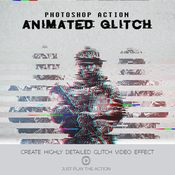
This Action will generate a video sequence of animated glitch effects from your photos, logo or artwork. What usually can take hours to create can now be done with a few clicks. You have lots of layer control after the action has finished to adjust the design how you wish. The action has been tested and working on Photoshop CS4,CS5,CS6,CC+
PSD | Photoshop ATN | DNG | TIFF | JPG | CS6+ | RAR 227,9 KB


Glitch Photoshop Action

Tips & Support

For the best results, it is recommended to use high resolution photos in the range of 600px – 2400px. The optimal range is from 640px – 1024px. The detail and clarity in the effects generated by the actions reduce the smaller your photo is.

Glitch Effect • Glitch Photoshop Action • Just 1 Click to Apply an Amazing Effects On Your Photo • Easy to use • Well organized layers • 10 Color options • Fully editable layers • Easy to customize • Non-destructive actions • Well documented instructions • Recommended to use high resolution photo sizes between 600 – 2400px • Help document included
Screenshots


