( BuhoLaunchpad 1.8.1 )
 Loading...
BuhoLaunchpad 1.8.1 for Mac
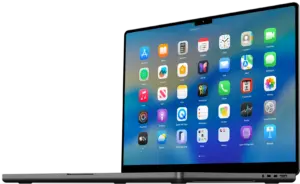
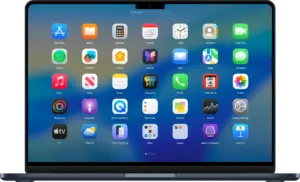
BuhoLaunchpad from Dr.Buho brings back the classic full-screen Launchpad on macOS 26 Tahoe—a clean app grid, smart search, drag-and-drop folders, and gestures Apple removed from the system launcher.
Version 1.8.1 (May 21, 2026) refines folder animations and fixes mouse-drag page switching for a smoother experience.
What BuhoLaunchpad does
Launch & navigation
- Full-screen app grid with multi-page support and instant search
- Four- or five-finger trackpad pinch; Hot Corners shortcuts
- Keyboard arrows, mouse scroll, and vertical trackpad swipe between pages
Organization
- Custom rows and columns; drag-and-drop reordering and folder creation
- Layout profiles (Work, Creative, Weekend) with one-click reset
- Hide apps without deleting; import old Launchpad layouts from previous macOS
- Backup, restore, and sync layouts across Macs
Appearance
- Native macOS 26 icon styles: Default, Dark, Light, Tinted
- Custom backgrounds (wallpaper, image, solid color) and adjustable blur
- Dynamic font color for readability on any background
- Multi-display placement: Dock screen, cursor screen, or main screen
What’s new in v1.8.1
- IMPROVED: Smoother folder expansion and collapse animations
- FIXED: Page switching when dragging app icons with the mouse
Recent in v1.8.0
- Enhanced multi-display strategy; background and blur customization
- Dynamic font color modes; vertical trackpad swipe for page navigation
Requirements & licensing
System
- Version: 1.8.1
- macOS: 15.0 or later; best on macOS 26 Tahoe+
- Architecture: Apple Silicon (M1–M5) and Intel
- Apple Notarized
License
- Free download with trial; one-time purchase via official store
- 30-day money-back guarantee
Official: BuhoLaunchpad · Release notes