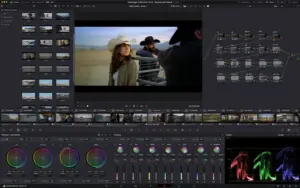
( DaVinci Resolve Studio 21.0.2 )
 Loading...
DaVinci Resolve Studio
Blackmagic Design’s all-in-one post suite for Mac that combines non-linear editing, Hollywood color grading, Fusion compositing, Fairlight audio, and—since version 21—a Photo page for stills inside the same project timeline.
Typical Mac workflow
Import camera originals into the Media page, cut on Edit or Cut, grade on Color with nodes, power windows, and HDR tools, then add titles and effects on Fusion before mixing in Fairlight and delivering from the Deliver page. Resolve 21 added IntelliSearch for content-aware media search, AI-assisted audio tools, Krokodove motion graphics, Fairlight folders, and vertical-timeline Fusion transitions aimed at social deliverables. Blackmagic Cloud collaboration lets distributed teams share bins and timelines when your workflow requires it.
DaVinci Resolve is free to download; the Studio edition ($295 one-time from Blackmagic, also on the Mac App Store) adds the Neural Engine, extra Resolve FX and Fairlight plugins, stereoscopic 3D, advanced HDR grading, and additional GPU features. On Mac, Resolve 21 requires Apple Silicon and macOS 15 Sequoia or later; Intel Macs are not supported in this major version line. App Store Studio builds may limit some external panels and third-party OFX or VST plugins compared with the direct download.
Licensing and version 21.0.2
Version 21.0.2 (July 2026) is a maintenance patch—the second 21.x fix within about a week—focused on stability rather than new features. Blackmagic’s published notes address bypass thumbnails, retime curves, keyframe pasting, IntelliSearch speed, TIFF still export bit depth, and related inspector issues; Studio adds a fix for H.264 and H.265 NVIDIA decode performance, which primarily benefits Windows and Linux systems with NVIDIA GPUs. Projects opened in 21.0.2 cannot return to Resolve 20.3.2, so backup libraries before upgrading.