( EdgeView 5.9.0 )
 Loading...
EdgeView on Mac
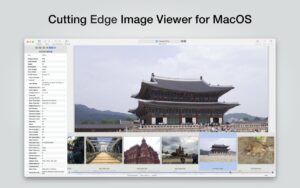
EdgeView is a Swift-native image viewer for macOS aimed at large local libraries, comics, and archives: it opens folders, ZIP/RAR/CBZ/CBR files, and network volumes without extracting first.
How you use it
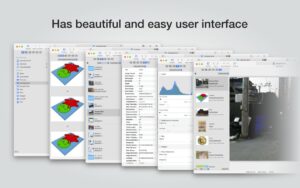
The app combines an image viewer and file browser in one window. Side-by-side trees show size and dates; color cues mark added, changed, or missing files. Keyboard shortcuts, the scroll wheel, and trackpad gestures move through images quickly. Comic-oriented modes include two-page spread, continuous scroll, and right-to-left reading. Animated GIF, PNG, WebP, and HEIC sequences play with on-screen controls.
Formats and workflows
EdgeView handles JPEG, PNG, TIFF, BMP, PSD, RAW, PDF, AI, OpenEXR, HDR, TGA, JPEG-XL, and AVIF (Ventura+), plus nested and encrypted archives over 4 GB. A built-in browser reaches local disks and AFP, SMB, or FTP shares; Quick Look extensions generate archive thumbnails in Finder. History restores zoom, position, and orientation when you reopen a file.
Version 5.9.0
On the Mac App Store the product is listed as EdgeView 3, while the build number shown to users is 5.9.0. This May 2026 update fixes JPEG-XL metadata reading and a crash tied to the loading progress indicator. It requires macOS 11.5 or later on Intel or Apple Silicon Macs and sells as a one-time App Store purchase with Family Sharing.