( Marked 3.0.39 )
 Loading...
Marked 3
A macOS Markdown preview app by Brett Terpstra that watches files from your preferred text editor and renders formatted output in real time—it is a previewer, not a writing surface.
How writers use it on Mac
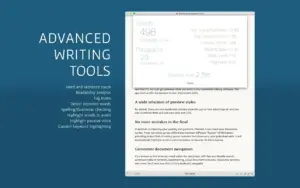
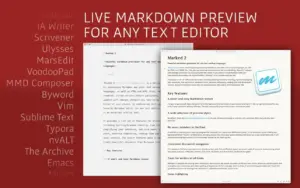
Marked 3 sits beside editors such as VS Code, iA Writer, nvUltra, Ulysses, or Scrivener and refreshes whenever you save. You get styled HTML preview, document statistics, navigation, and proofreading helpers without leaving your existing toolchain. Folder watching, streaming preview from supported apps, and include syntax for multi-file projects make it useful for long-form books, technical docs, and blog drafts alike.
Processing is flexible: built-in CommonMark (GitHub Flavored Markdown) and Kramdown paths, MultiMarkdown features, custom shell processors, and Custom Rules for transforms before rendering. Export covers PDF, HTML, DOCX, EPUB, RTF, and more, with export profiles and tabbed windows for comparing outputs. Marked 3 also adds wiki-style navigation with backlinks, TextBundle support, and Scrivener live preview integration beyond what Marked 2 offered.
Proofreading and export depth
The app targets professional workflows where presentation matters. DOCX round-tripping supports change tracking, comments, and math; EPUB export accepts custom CSS; and proofreading tooling helps catch style issues before you ship. Browser extensions can send web pages through Markdownify for capture into your writing pipeline.
Licensing and version 3.0.39
Marked 3 is available from markedapp.com (free trial and direct builds), the Mac App Store, and Setapp. The vendor lists subscription or permanent-unlock pricing on the website; the Mac App Store build requires macOS 12.4 or later. Version 3.0.39 (June 2026) adds a keyboard-driven Quick Actions palette, stronger DOCX and Mermaid export, and several Conductor and palette reliability fixes documented in the official release notes.