( Bloom 1.5.35 )
 Loading...
A Finder-style file manager built for productivity
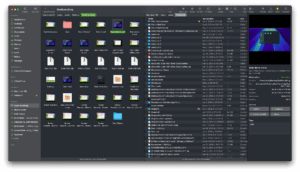
Bloom is a native macOS file manager that reimagines Finder with multi-pane layouts, fast search, workspaces, and tools for batch file work without leaving one window.
Multi-pane and workspace workflow
Instead of juggling several Finder windows, Bloom lets you open two, three, or more panes in a single window and save layouts as Workspaces for different projects. Sync browsing keeps related folders visible side by side, while column auto-resize shows full filenames without manual dragging.
- Developers and designers: move assets between project folders with Portal and pinned mini-windows.
- Power users: batch rename, tag files, browse archives without extracting, and revert changes via Footprints.
- Everyday Mac use: system-wide Go to Folder, live folder search, and iCloud or cloud-drive browsing.
Search, preview, and safety
Press Command-F to filter the current folder or use the global navigation panel for path jumps and keyword search across predefined locations. The inspector previews archives, images, and documents, while Footprints records file operations so deletions and renames can be undone.
Licensing and privacy
Bloom sells as a one-time purchase with a 7-day trial and free updates according to the developer. The app runs offline and does not collect personal data; some tag features may require Full Disk Access in System Settings.
Bloom 1.5.35
Version 1.5.35 requires macOS 14.0 or later on Intel and Apple Silicon Macs and adds sidebar and path bar color options, tag assignment from the right-click menu, preview date editing, and AppleScript layout control documented in the official changelog.