( TextSoap 9.7.4 )
 Loading...
Automate text cleanup on your Mac
TextSoap is macOS software that cleans, reformats, and transforms plain or rich text through reusable “cleaners” instead of manual find-and-replace in every app.
Built-in cleaners and custom workflows
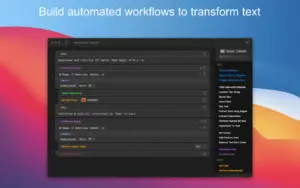
The app ships with more than 100 predefined cleaners for common jobs: trimming whitespace, fixing line breaks, converting HTML to Markdown, sorting lines, and applying title case. When a preset is not enough, the Custom Cleaner Editor chains actions—find/replace, regex, conditionals, list processing, and line-by-line steps—into saved workflows you can reuse across projects.
- Writers and editors: normalize pasted copy from the web, email, or PDFs.
- Developers: reformat SQL, logs, or data files with repeatable cleaners.
- Researchers: batch-clean large sets of downloaded text files.
Where TextSoap fits in your workflow
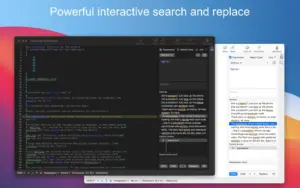
TextSoap includes a capable text editor with line numbers, invisible characters, and statistics, but most users run cleaners on text copied from other apps. The free companion textsoapAgent adds system-wide access through the TextSoap Menu, macOS Services, global hotkeys, and AppleScript—so cleanup can happen inside Mail, Notes, browsers, and code editors without switching apps.
Groups, libraries, and batch jobs
Custom groups organize cleaners for specific tasks, and library import/export lets you share setups with a team. Batch File Cleaning applies chosen cleaners to many files at once, which helps when a folder of documents needs the same transformation.
TextSoap 9.7.4 on your Mac
Version 9.7.4 requires macOS 11 or later, runs natively on Apple Silicon, and supports Dark Mode. This build is a maintenance release focused on editor stability, preferences layout, and Clipboard Workspace behavior; licensing is per-user with a free trial from the vendor site or optional Setapp subscription.