( Boxy SVG 4.107.0 )
 Loading...
Boxy SVG on Mac
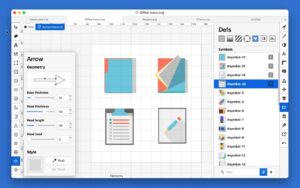
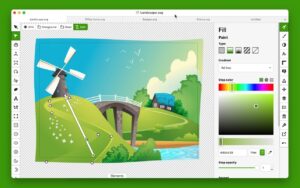
Boxy SVG is a Mac-native SVG editor for logos, icons, illustrations, and UI graphics, with on-canvas editing and output that stays readable in browsers and design handoffs.
Who it fits
- Designers who want Illustrator-style controls without a heavy subscription suite.
- Web and app developers who need clean SVG markup, sprites, and a CSS-like inspector.
- Anyone working primarily in SVG rather than proprietary vector formats.
Typical workflow
- Create or open an SVG and draw with shapes, paths, text, and boolean operations.
- Adjust fill, stroke, gradients, and patterns directly on the canvas with smart guides.
- Use Generators for QR codes, barcodes, bitmap tracing, and other automated assets.
- Export to SVG, SVGZ, PNG, JPG, WebP, PDF, or HTML5 when the file is ready.
Core tools
Boxy SVG covers the everyday vector toolkit: unite, intersect, subtract, and exclude path ops; align, group, flip, and order commands; over 100 configurable shortcuts; Pixabay and Google Fonts libraries inside the app; and an animations timeline for web-oriented motion. A Chromium-based preview engine shows how SVG and CSS will behave in modern browsers.
For developers
- Elements panel for direct SVG/XML editing when you need precise control.
- Code inspector similar to browser DevTools for live markup review.
- Output that preserves IDs, classes, titles, and metadata where possible.
- SVG sprite sheet editing for icon systems and component libraries.
Version 4.107.0
Build 4.107.0 adds context fill and context stroke marker paint types so path markers can inherit the parent path colors, rewrites the Generators panel UI, and fixes animation-timeline and path-node keyboard navigation bugs. The Mac App Store build requires macOS 12.0 or later, ships in 21 languages, and sells as a one-time purchase with Family Sharing.